






You’ve finally hit publish on a great web page. Great job! But don’t assume Google will automatically find it and start including it in their search results.
Here’s a guide to learn more about how Google indexing works.
The Google Index
Nothing will appear in Google search results without Google’s spider, or a crawler, finding it first. The spider crawls over every page on the internet – a mind boggling number – and identifies any page that’s new or has been recently updated.
The crawler sees how well the page is optimized, a process known as search engine optimization. Then, it puts it into what you can think of as the digital equivalent of a massive filing cabinet. That cabinet is the Index.
From there, Google’s algorithm sorts through all the pages in the index, or digital filing cabinet, and reorganizes them. The highest quality pages go in the top drawer. Those pages appear on the first page of Google search results when a person enters certain keywords into the search box.
How to Make Sure Your Web Page Gets Into Google’s Index
Google will eventually find every newly published or recently updated web page. However, that could take weeks or months. If you would like, there is a way that you can speed up the Google indexing process.
Here’s the process:
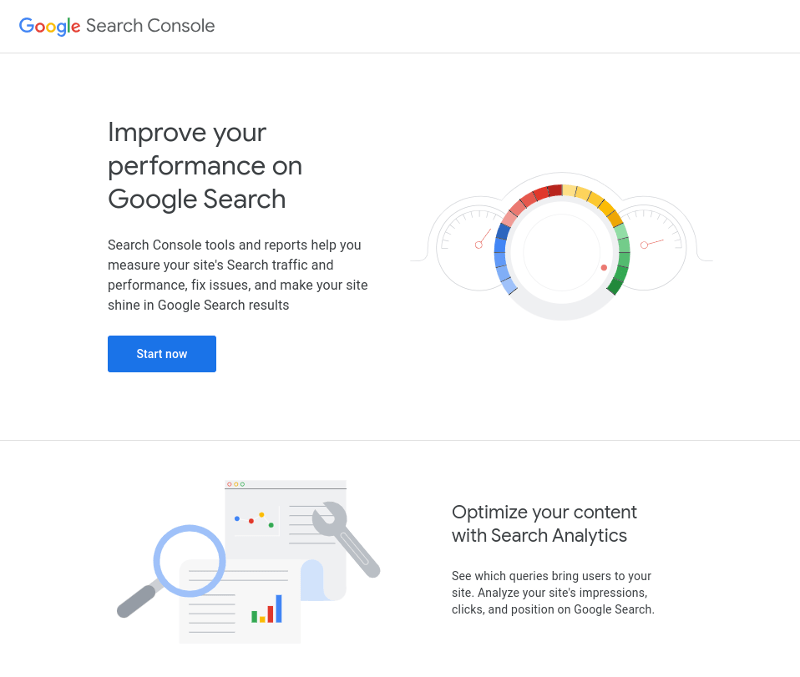
- Go to the Google Search Console.
- Sign in with your Google account (or create one).
- In the upper left corner, or on the first screen, you’ll be asked to add a property.
- Add the URL to your website or page.
- Verify the ownership through Google’s simple process.
Does this sound like professional work? It is. That’s why at SEO Design Chicago, we offer a variety of packages to handle all of your website management needs.

Another Way to Get Recognized by Google’s Index
There’s an even faster way to get your web pages to surface in Google’s search results.
Every website has a computer code behind it, which is called an XML site.
You can see if your website already has one, or if you need to create one, by typing your URL with the words “site map” at the end, like this: https://yourdomain.com/sitemap.xml.
The sitemap is like a user’s manual to your website. In this file, you provide information about the pages, videos, and other files on your site, and the relationships between them.
Google provides step-by-step instructions on how to build a sitemap. But it’s not the easiest thing in the world.
If you don’t have a sitemap, SEO Design Chicago can create one for you and submit this to the Google Search Console.
This method is an even faster way to make sure Google indexes your site immediately!
Why Google Won’t Index Your Website
The steps we described above are fairly easy for you to do on your own. Unfortunately, sometimes Google still won’t index your website after following these steps.
This usually happens when there’s something wrong with your website on a deeper level. Some reasons include:
- Your website isn’t easily viewed on mobile phones
- You have too many broken hyperlinks on your website
- The images on your site load too slowly
- You don’t have enough high quality content on your site
Here’s an explanation of these reasons in more detail.
The Quality of Your Mobile Site
Google doesn’t require people to have a mobile version of their website. That said, Google strongly suggests it so you probably should do it.
If you have a new website, Google automatically uses “Mobile-first indexing” when they figure out where your page should rank in SERP.
For existing websites, Google monitors and evaluate pages based on how they look on a desktop. However, that may change in the future, and considering how many people view websites on their phones, you should make sure your mobile site is top notch.
Here’s what Google considers a mobile-friendly design::
- Responsive design: This means that regardless of users’ device (for example, desktop, tablet, mobile, non-visual browser), the website looks great. This means that the content will look different for each device. on the screen size.
- Dynamic serving: This means the site has the same URL regardless of device.
Many website builders will automatically generate mobile sites for you. However, they don’t always look great. Reach out to use for help.

Broken Hyperlinks
Your website may have pages with broken urls, meaning that if someone tries to open a page they get an error message saying the page no longer exists. This happens when:
- The website’s URL recently changed (for example, if you change your company’s name, or replace previous URLs with new ones)
- The website no longer exists
- Something big on the web page, like a plugin, is broken
- A firewall or geolocation restriction blocks people from getting into the website
If Google notices your website has a lot of broken pages, they won’t index your site. There are a lot of ways to fix broken links. If you find it too boring, remember that we can fix them for you.
The Images on Your Site Load Slowly
If your pages aren’t showing up, especially in Google shopping ads, it’s possible that the crawl rate for your images is too slow. To fix this, you can increase the crawl rate in Google Search Console.
You may also need to reduce the size of your images. Every image has a size and quality. These are Google’s image requirements:
- For clothing products, images must be at least 250 x 250 pixels and cannot be larger than 64 megapixels.
- For all other products, images must be at least 100 x 100 pixels and cannot be larger than 64 megapixels.
- Images can’t be larger than 16MB in file size.
- The product should take up no less than 75%, but not more than 90%, of the full image.
If you don’t know what pixels are, or how to compress images, SEO Design Chicago can do this for you.
You Don’t Have Enough High Quality Content
Google claims that it crawls sites and determines if the content exists to help people find information, not just sell them products.
They say they use a mix of traits to make this judgment call. The factors are experience, expertise, authoritativeness, and trustworthiness, or what Google calls E-E-A-T.
That means pages on your site should contain content that is trustworthy and professional. At SEO Design Chicago, we have over 30 writers on call to write compelling, human-first content.
Get Help Indexing Your Website With SEO Design Chicago
At SEO Design Chicago, we can examine your website if it’s not indexing in Google. Then we can suggest the best next steps. We can do the steps for you, or at least get you started.
Some common solutions we offer for Google indexing problems include:
- Custom content creation
- Website redesigns so loading times are faster
- Link building
Website builders make it easy to get a website online. But once it’s online, you need to make sure the site is at its best for Google to find it, and rank it high in their search results.
Fixing some of the issues discussed here ensures your site will be indexed by Google. But do remember that it takes some time for Google to “see” these changes. Regardless, don’t wait too long to make sure Google can find your site.
FAQ:
- What is the Google index?
- What is E-E-A-T?
- Why hasn’t Google indexed my website?
- Do I need high quality content for Google to index my site?
- Steps to index my site on Google?

Contact Us today!